Practical answer
Photo to Text: Check That OCR Runs in Your Browser
To convert a photo to editable text without sending the photo to an OCR server, add a JPG, PNG, or WEBP image to ClearPixel OCR and select Extract text. The page downloads its OCR engine files from this site, then reads the selected photo in your browser. You can check the browser’s Network panel to distinguish those engine downloads from an image upload.
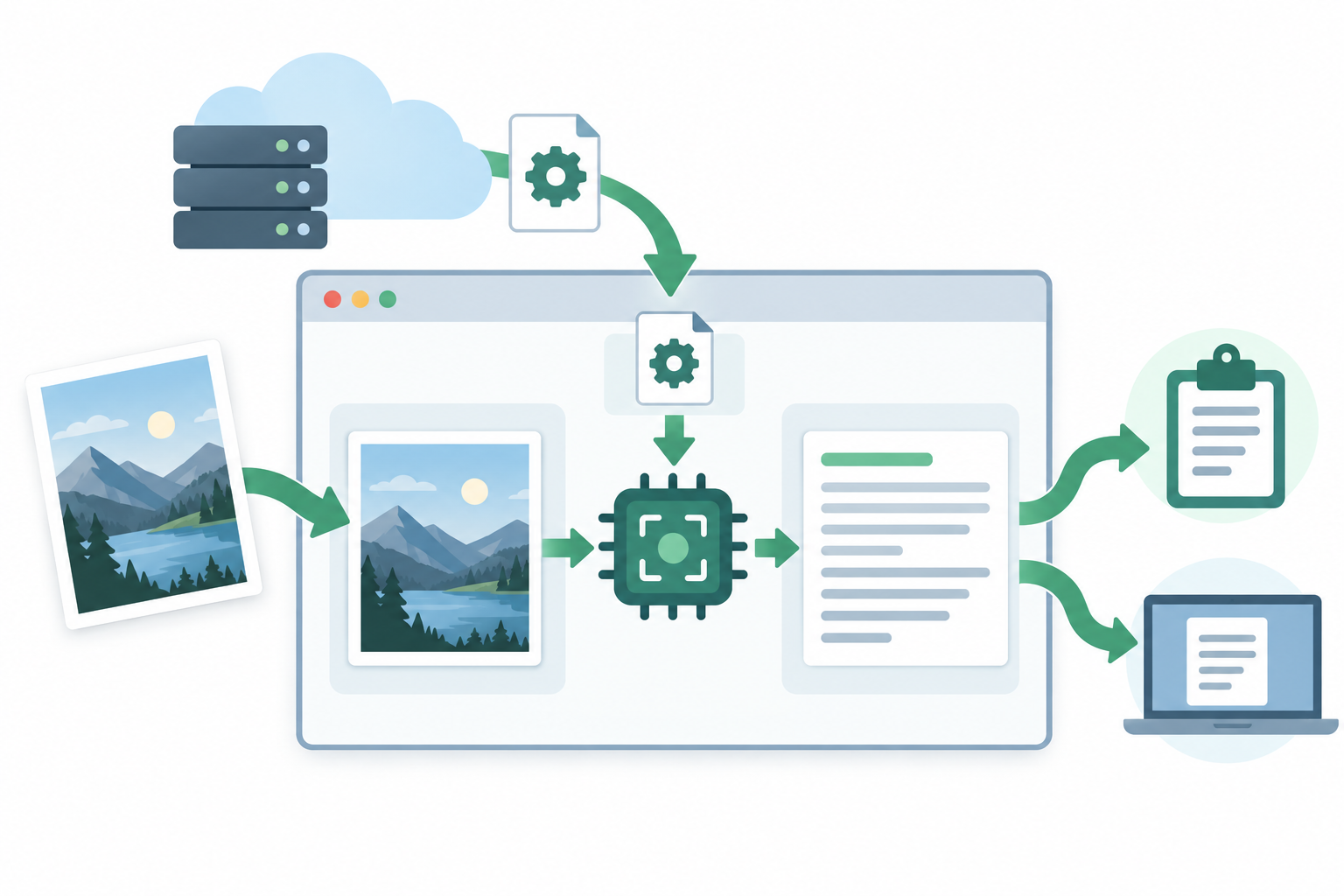
What the browser downloads—and what it processes locally
On the first recognition run, the page may request its worker script, WebAssembly core, and English OCR data from ClearPixel OCR. Those are the program files used to read text. The selected image is passed from the file input to the OCR worker in the browser; the app does not send that file as an image-upload request to an OCR endpoint.
Verify the photo flow in Developer Tools
- Open the tool and its Network panel. In your browser, open Developer Tools and select Network before choosing the photo.
- Run one English photo. Choose a JPG, PNG, or WEBP file and select Extract text. The first run can load the OCR worker, core, and English data files from this site.
- Check the request type and destination. Engine files are ordinary site asset requests. The selected photo is read by the browser worker; the OCR flow does not make a photo POST request to an OCR service.
- Check where the result goes. The recognized text appears in the editable result box. Copy all and Download .txt are separate actions you choose; the tool does not automatically submit that text to an OCR service.
This distinction matters: seeing a request for code or OCR data does not mean the photo itself was uploaded. The implementation starts the local worker with the English model and passes the selected file directly to that worker for recognition.
Use a photo the tool can read
The current tool recognizes English text in JPG, PNG, and WEBP images. If the writing is not English, the photo is not supported by this page’s English OCR model. If the image is a PDF, export or capture the page as a supported image first. Review the editable result against the photo before reusing names, numbers, or other exact details.
Questions
Does the OCR engine download mean my photo was uploaded?
No. The browser may download the worker, WebAssembly core, and English data from this site. The photo itself is passed to the in-browser worker, not sent to an OCR server.
Can I use this with a photo from my phone?
Yes. Add a JPG, PNG, or WEBP photo from your device, drag it onto the page, or paste a copied image. The page extracts English text in your browser.
Does this page work offline?
This page does not promise offline use. The site and OCR engine files must be available to the browser when they have not already been loaded.
For a photo-quality check before recognition, see the convert photo to text guide.