Practical answer
Image Text Reader: Check the Words, Not Just Done
To read English text from an image, add a JPG, PNG, or WEBP to ClearPixel OCR and select Extract text. Then check the words below that image's filename in the editable result. A Done label or a positive character count does not prove that any words were recognized. This tool extracts text; it does not read it aloud.
The blank-image control
We tested the live tool on October 7, 2026 using two generated PNGs. Both are white images measuring 1000 by 420 pixels. reader-blank.png contains no writing. reader-text.png contains the five English lines below. These downloadable fixtures make the check repeatable without exposing a personal document.

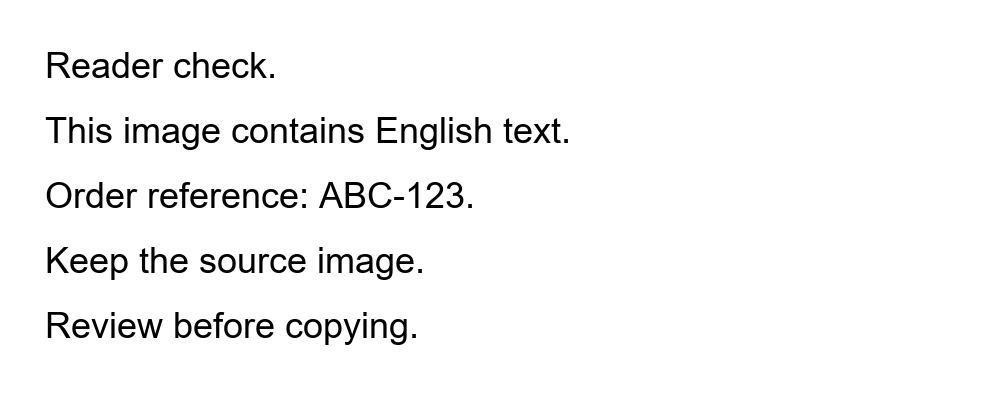
Reader check.
This image contains English text.
Order reference: ABC-123.
Keep the source image.
Review before copying.
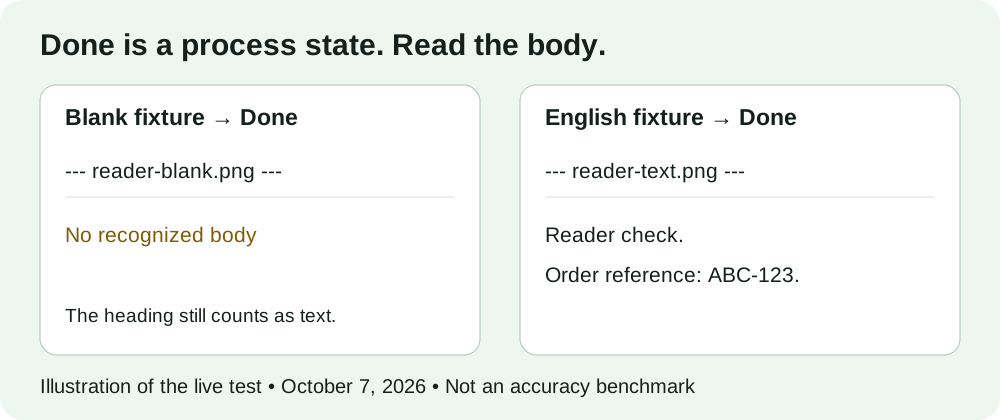
In the single-image test, we processed only the blank fixture. Its queue entry changed to Done. The result was exactly this filename heading, with nothing beneath it:
--- reader-blank.png ---
The status nevertheless said Finished: 24 characters extracted from 1 image. The result metadata said 24 characters · 3 words · 1 lines. Those counts describe the displayed heading, not recognized writing: the blank fixture contains no letters to extract. Copy and download controls became enabled because the result box was not empty.
In the combined test, we processed both fixtures together, blank first. Both queue entries said Done. The result contained the blank filename section followed by the English filename section and its five lines. The status reported Finished: 173 characters extracted from 2 images. The metadata reported 173 characters · 23 words · 12 lines. The English wording and reference matched the generated source; additional blank lines appeared between some lines. The blank section still contained no recognized body.
This is a narrow observation, not an accuracy score. It establishes that this tool's displayed counts include filename separators and that a processed blank image can produce a nonempty result box. It does not establish what will happen with handwriting, other languages, faint text, or a different image.
Repeat the check on your result
- Keep a control separate from your real task. Open the tool in a fresh tab and add the blank fixture. Select Extract text and inspect both the queue label and the result. Do not use a reset on a tab containing text you still need.
- Read below the separator. Locate the filename heading. If there are no words between that heading and the next filename, that image has no recognized body, even when the overall count is positive.
- Compare a known-text control. Add the English fixture in another fresh tab. Check its reference and sentences against the source. A working control helps distinguish your particular input problem from an inability to obtain any text at all; it does not validate every other image.
- Check the useful field, not the label. For your own image, choose one visible sentence or code and find it in the correct result section. A filename such as invoice.png is not evidence that the invoice total was read.
Before saving a combined result, remove empty labels only if you do not need them for source tracking, and correct the recognized body against the original. Preserve any explanation of missing content yourself; an empty OCR section does not prove the source was blank.
What other first-hand tests tell us
Individual developer reports show why empty and nonempty output both need inspection. These historical tests used other software configurations. They are not ClearPixel benchmarks or evidence that the same failure occurs here.
- An in-memory image test returned an empty-page message, while saving and reloading the image produced text. The input route mattered in that report.
- A no-text image test produced spurious characters under one segmentation mode and empty output under others. Nonempty output was not necessarily real writing.
- A cropped-image comparison found some English inputs empty while others worked. Reported preprocessing and configuration changes affected the result, including punctuation errors.
- A short table-cell test returned empty strings for small snippets, followed by the author's workaround experiment. An empty string did not mean the source had no visible characters.
The practical synthesis is to distinguish a finished process, a nonempty output, and text that actually matches the source. ClearPixel does not expose the segmentation, thresholding, or image-repetition controls used in those reports; they are not instructions to find such settings on this page.
Scope and questions
ClearPixel currently runs English OCR in your browser, using engine files from this site. Selected images are processed locally. It accepts JPG, PNG, and WEBP files and provides editable text, Copy all, and Download .txt. It does not provide PDF input, translation, or speech playback.
Does Done mean every word was recognized?
No. In the blank-fixture test, Done appeared with only a filename heading. Inspect the body and compare it with the source.
Does a positive character count prove success?
No. The blank fixture displayed 24 characters from its heading alone. The count is not a count of verified source characters.
What if one section in my batch is empty?
Save the text you need before changing the queue. Use the single-image retry guide to avoid clearing results you still need.
For a file that never enters the queue, use the file-acceptance check instead. That is a different stage from a completed run with an empty body.